ISO 27001 · A.5.9
Inventory of information and other associated assets, with an assigned owner.
Asset inventory · GRC
Almost every standard starts with knowing what you have. Audexa brings devices, software, SaaS, suppliers and contracts together in an inventory with owners, periodic reviews and alerts, connected to your controls, evidence and risks.
Why it matters
ISO 27001 requires an inventory of assets with owners. NIS2 and DORA require control over the supply chain and ICT providers. The GDPR requires knowing where personal data is.
Inventory of information and other associated assets, with an assigned owner.
The security of suppliers and service providers is part of the mandatory measures.
A register of information covering all arrangements with ICT providers, plus exit strategies.
Data processing agreements (DPAs) with suppliers that process personal data on your behalf.
Asset inventory and secure configuration of devices and systems.
Knowing which versions you have installed is the basis for detecting exposure to known CVEs.
How Audexa helps
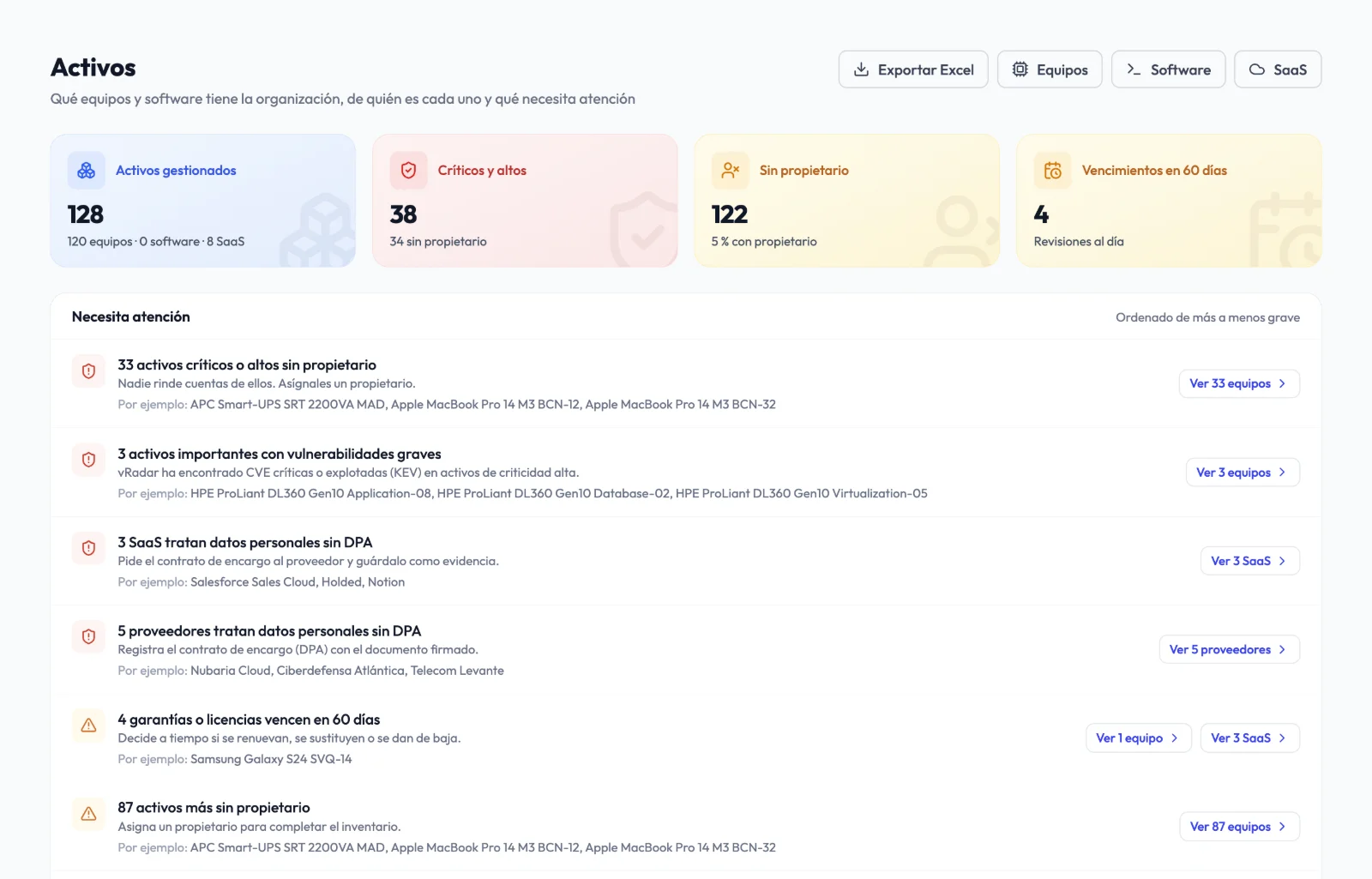
It's not just a list of devices: every asset has an owner, review dates, a security status and links to controls, evidence, risks and tasks.
Everything you use, in one place.
Import from Excel or CSV, or sync in read-only mode with NinjaOne and SentinelOne.
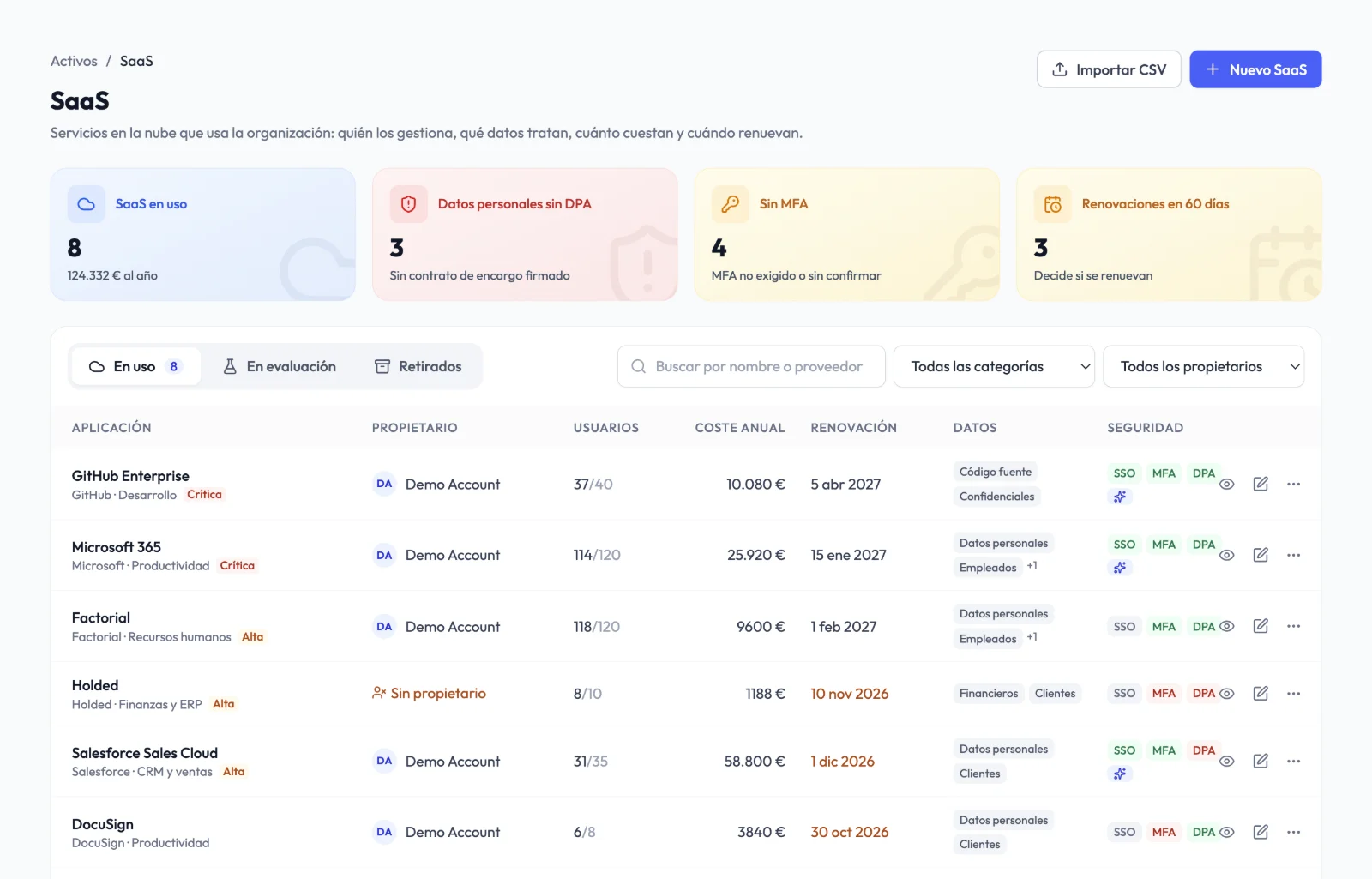
Plan, users, cost, renewal, data location, SSO, MFA and AI features.
Legal name, tax ID, LEI, criticality, dependencies, contract type and key dates.
What needs attention comes first.
A real owner for every asset and reviews based on criticality: every 6, 12 or 24 months.
Personal data without a DPA, MFA not enforced, no SSO or no assigned owner.
Alerts 90, 60 and 30 days before the notice deadline and the expiry date, also shown in the calendar.
Your inventory as evidence.
Controls, evidence, risks and tasks related to each asset.
Date, destination, data wiping and certificate of destruction as evidence.
Summary, devices, software, SaaS, suppliers, contracts and the DORA register of information.
Some features depend on your plan and active modules.
SaaS
Register each application with its owner, the data it processes and where that data is hosted. Audexa flags critical applications without SSO or MFA, or with personal data but no data processing agreement.
CVE exposure
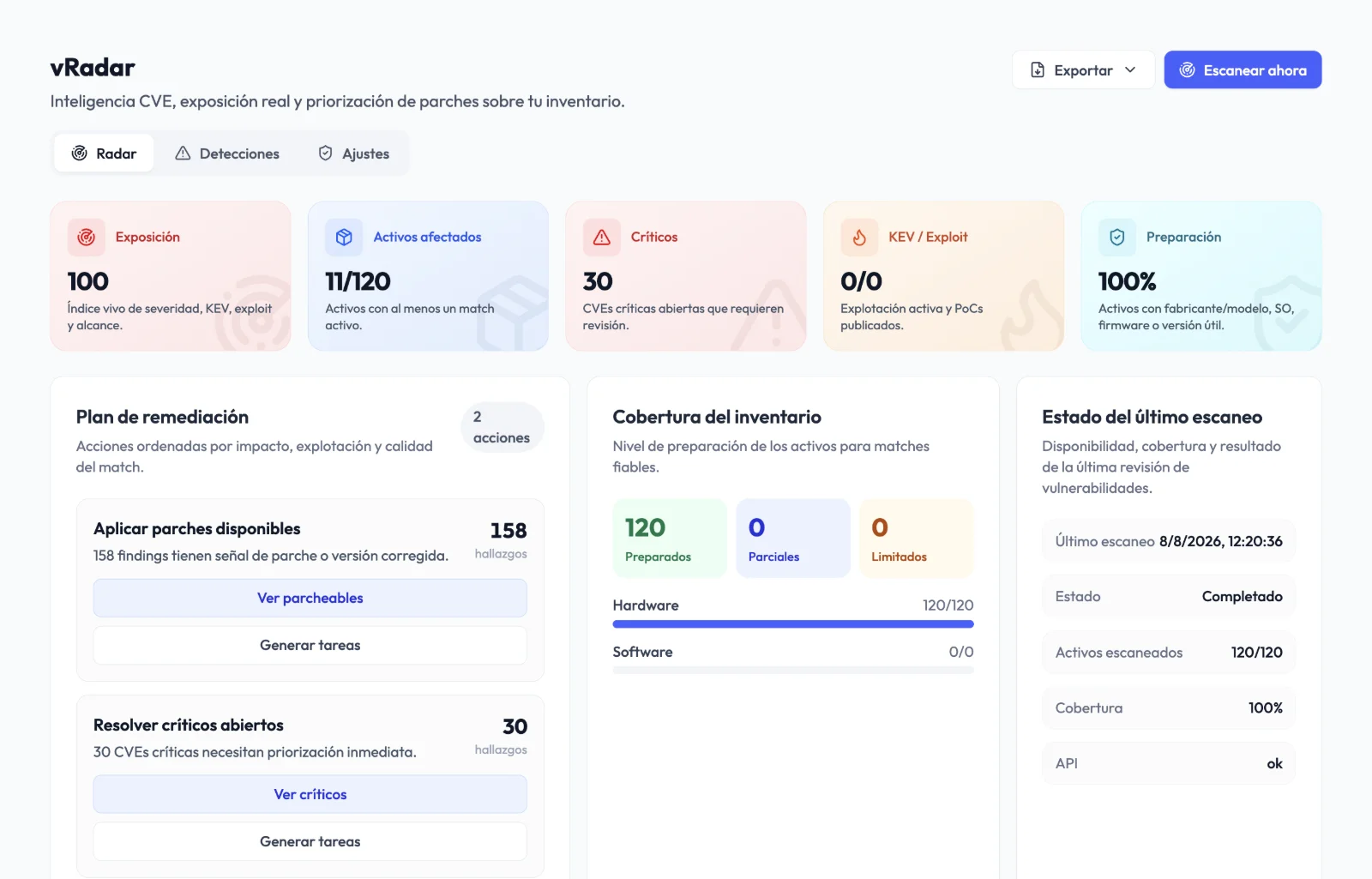
vRadar matches vendor, model, firmware, operating system and installed version against CVE intelligence, shows why each finding affects an asset and turns it into a remediation task.
How it works
Import from Excel or CSV, sync your tools or add SaaS and suppliers.
Give every asset an owner and let Audexa remind you about reviews and expiry dates.
Link assets to controls, evidence and risks and export everything for the auditor.
Before and after
Owners
A column nobody updates
Real users with periodic review
Contracts
Unwanted automatic renewals
Alerts before the notice deadline
SaaS
Unknown to IT
Security posture and DPA status at a glance
Audit
Inventory unrelated to the controls
Assets linked to controls and evidence
Vulnerabilities
A separate scanner
CVE exposure on the inventory itself
Frequently asked questions
No. You can import devices, software and SaaS from Excel or CSV using our template, or sync in read-only mode with NinjaOne and SentinelOne.
No. Fields validated by a person are never overwritten; conflicts are sent to a review inbox.
It depends on the plan: 20 per section on Core, 200 per section on Premium and unlimited on Diamond. Only assets in use count.
Yes. Contracts with ICT providers capture the data DORA requires, and the Excel export includes the “Register of information (DORA)” sheet.
Yes. Audexa generates QR labels to identify the devices in your inventory.
Request a demo
In 30 minutes we show you how devices, SaaS, suppliers and contracts are loaded and how they connect to your audits.