
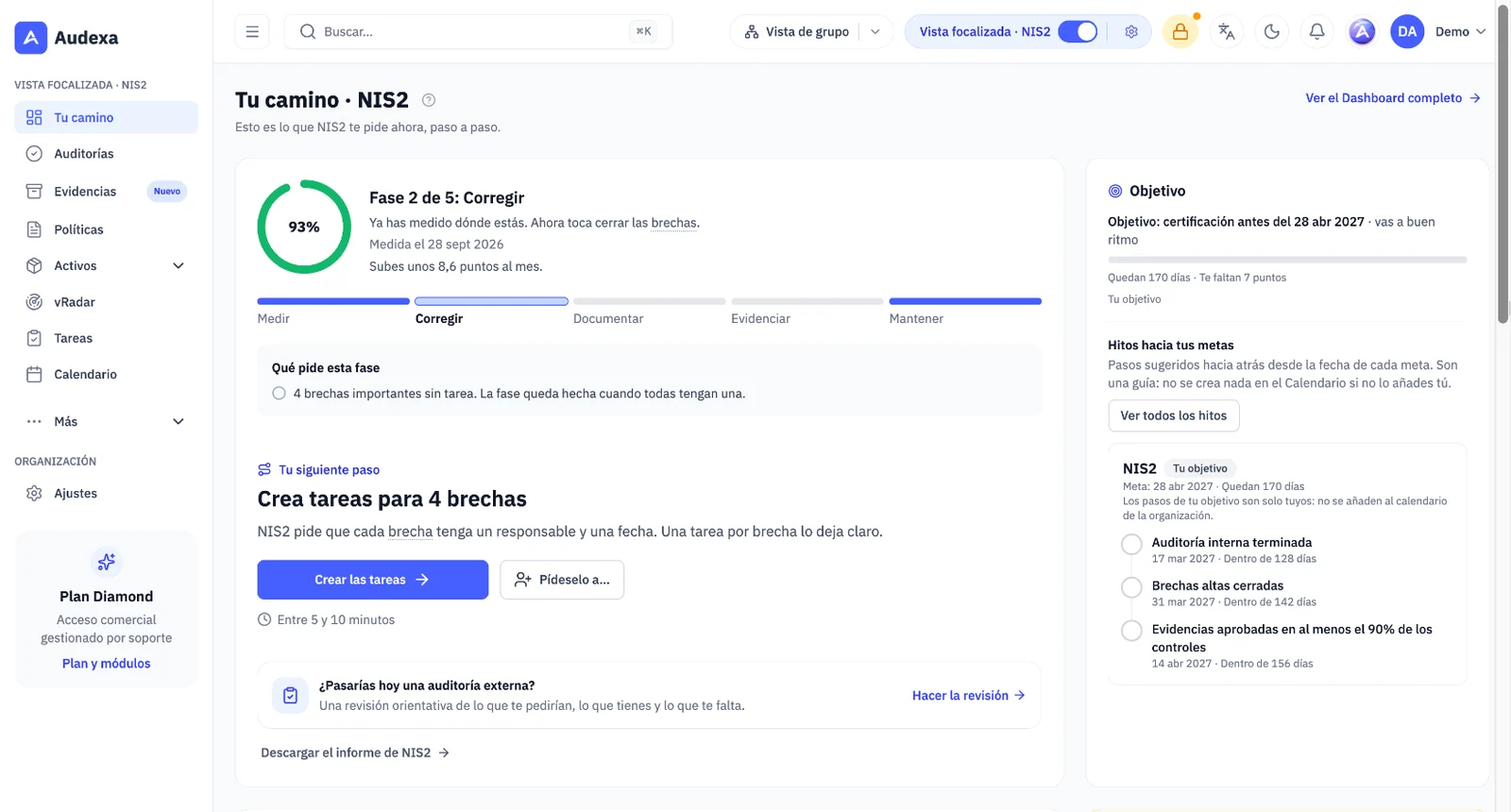
Focus mode: Audexa shows you only what your framework asks for
Choose which framework you focus on and Audexa simplifies itself: the menu is reduced to what that framework asks for and each module explains in one sentence what you need. Nothing is deleted; everything else stays under More or behind See all, and the full view comes back with a switch.
- Your path: your score, five phases (Measure, Fix, Document, Prove and Maintain) and a single next step with the reason for it and how long it takes
- Each question shows its exact reference: the article of NIS2, DORA, the ENS, the GDPR or the EU AI Act, or the clause of ISO 27001, SOC 2 or NIST CSF
- The NIS2, DORA and ENS references have been checked against the official text; where there is no reliable reference, none is shown
- One framework on every plan; several frameworks, dated goals and milestones, from Premium
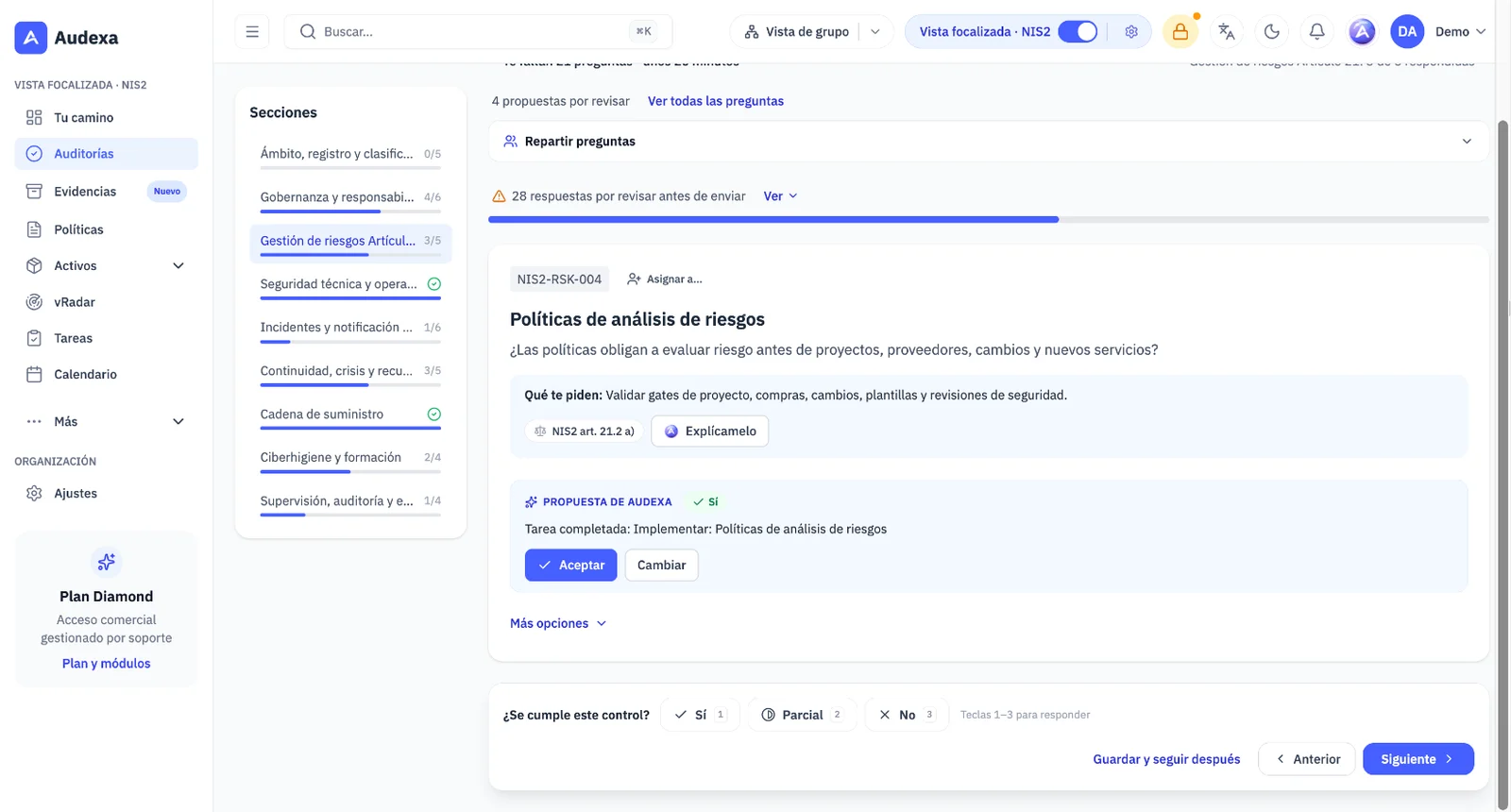
Smart audit: it suggests, checks and tells you what raises your score
Answering an audit is faster without losing control. Each piece suggests and a person decides: nothing is answered, created or submitted on its own.
- Suggested answers in your first audit of a framework, with their source: evidence, other audits, Assets, policies and tasks
- Check before submitting: it flags answers that don't match your Assets, vRadar or your evidence, without blocking
- Points per gap and a plan toward your target, with the quick wins and a task on every row
- Share out sections or questions across your team and, from Premium, check whether you would pass an external audit today, as guidance
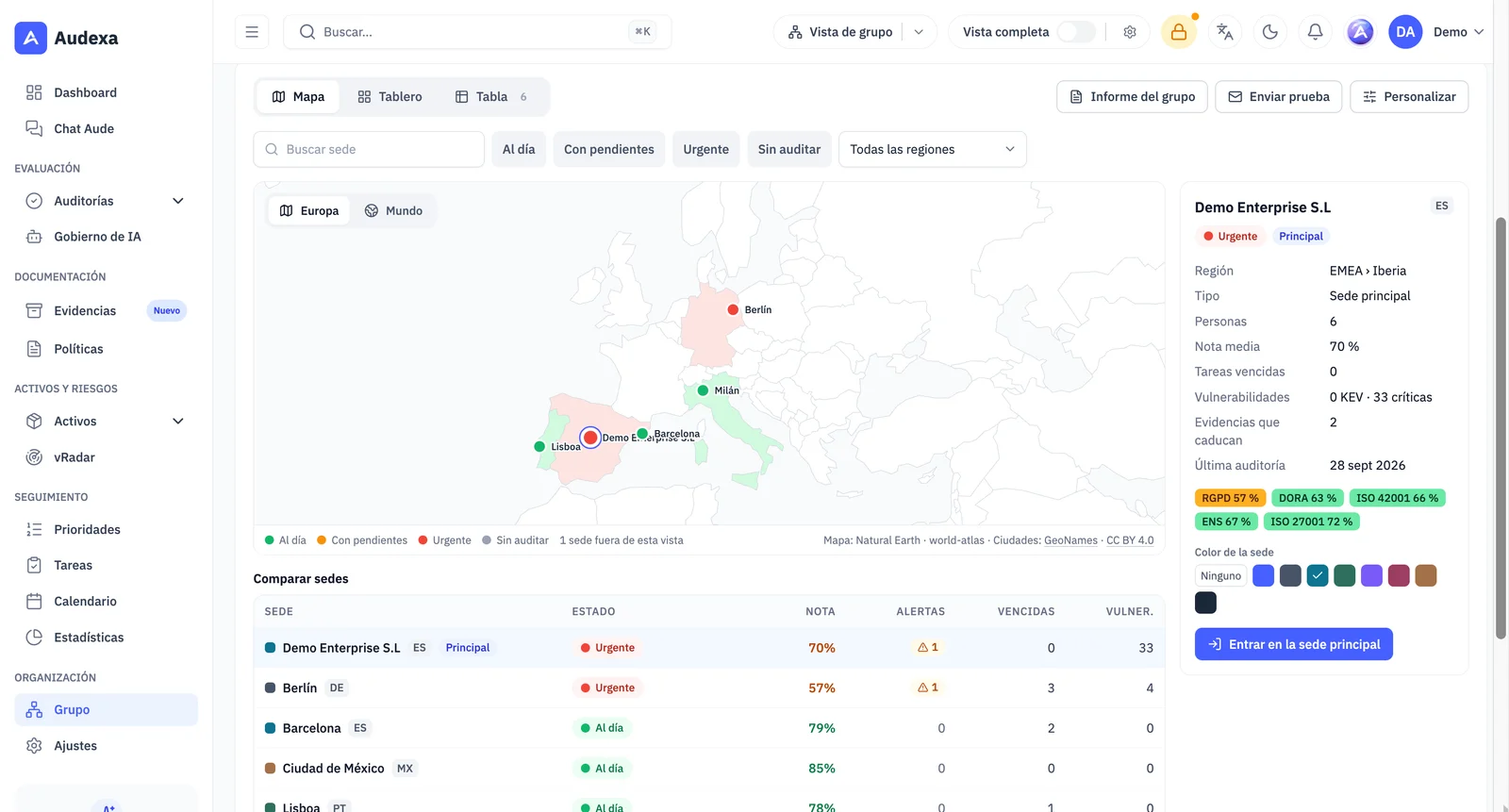
Sites and group: all your sites, in a single platform
For organisations with several sites or subsidiaries. A main site manages its sites, which work with the group's plan but keep their own data and their own team. It is designed for Premium (3 sites) and Diamond (5), extendable, and Audexa activates it at your organisation's request.
- Branches and subsidiaries with their own time zone and language, grouped into regions, and several sites added at once from Excel or CSV
- Group overview with a map, a sites-by-framework matrix, ranking, comparison and PDF and Excel reports
- Suppliers, SaaS, policies, evidence and templates shared by the main site, without duplicating work
- Multi-site ISO 27001 audit and the group's consolidated DORA register of information, as guidance to help you prepare
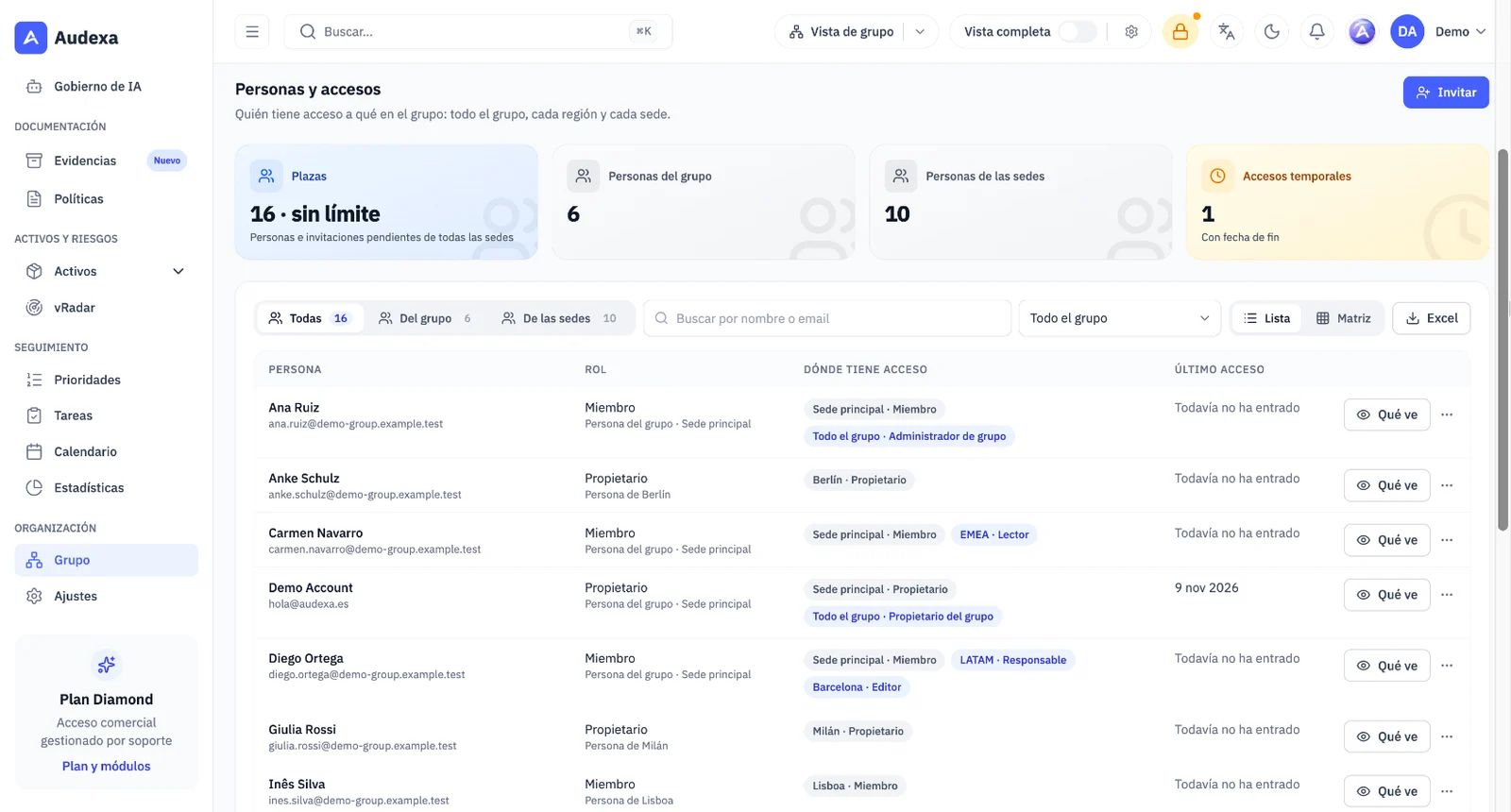
Custom roles and expiring access
Assign permissions across the whole group, a region or a site, and always know where each access comes from.
- Role templates and your own roles; nobody can grant a permission they don't have
- What this person sees view, which explains the origin of each permission
- Access with an end date, with a warning 7 days before: ideal for external auditors
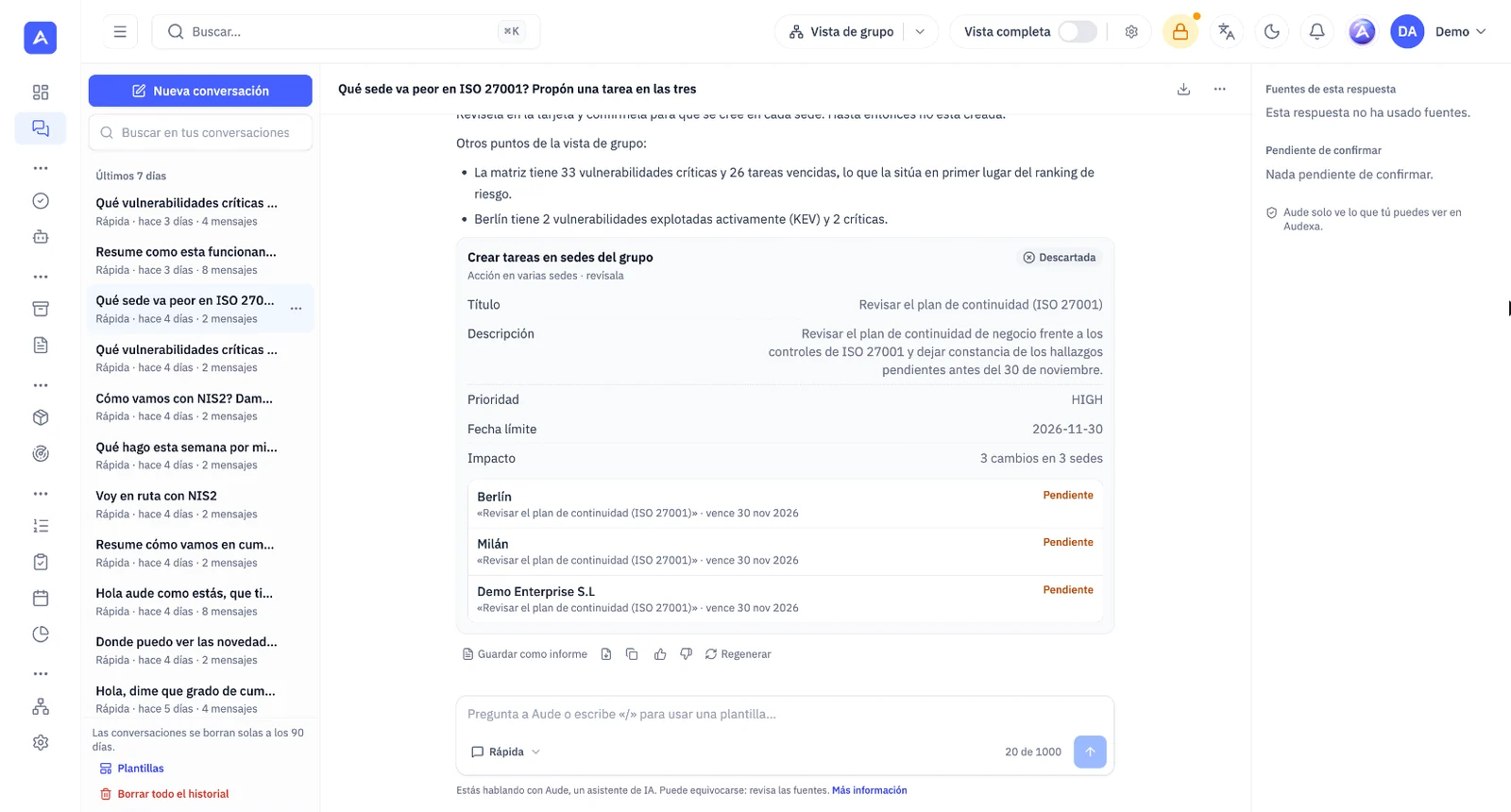
Aude, across the whole group and full screen
Ask Aude which site is doing worst and why, or ask it for the same change at several sites: you see one row per site and you confirm. Sensitive actions require two-step verification, and Aude never deletes, approves, signs or touches billing.
- Full-screen Aude chat, with a history you can search, rename and pin
- Answers with tables and cards, and numbered sources that take you to the data
- Attach evidence to a question and use templates with “/”
- Save an answer as a Word report in Evidence, as a draft to review
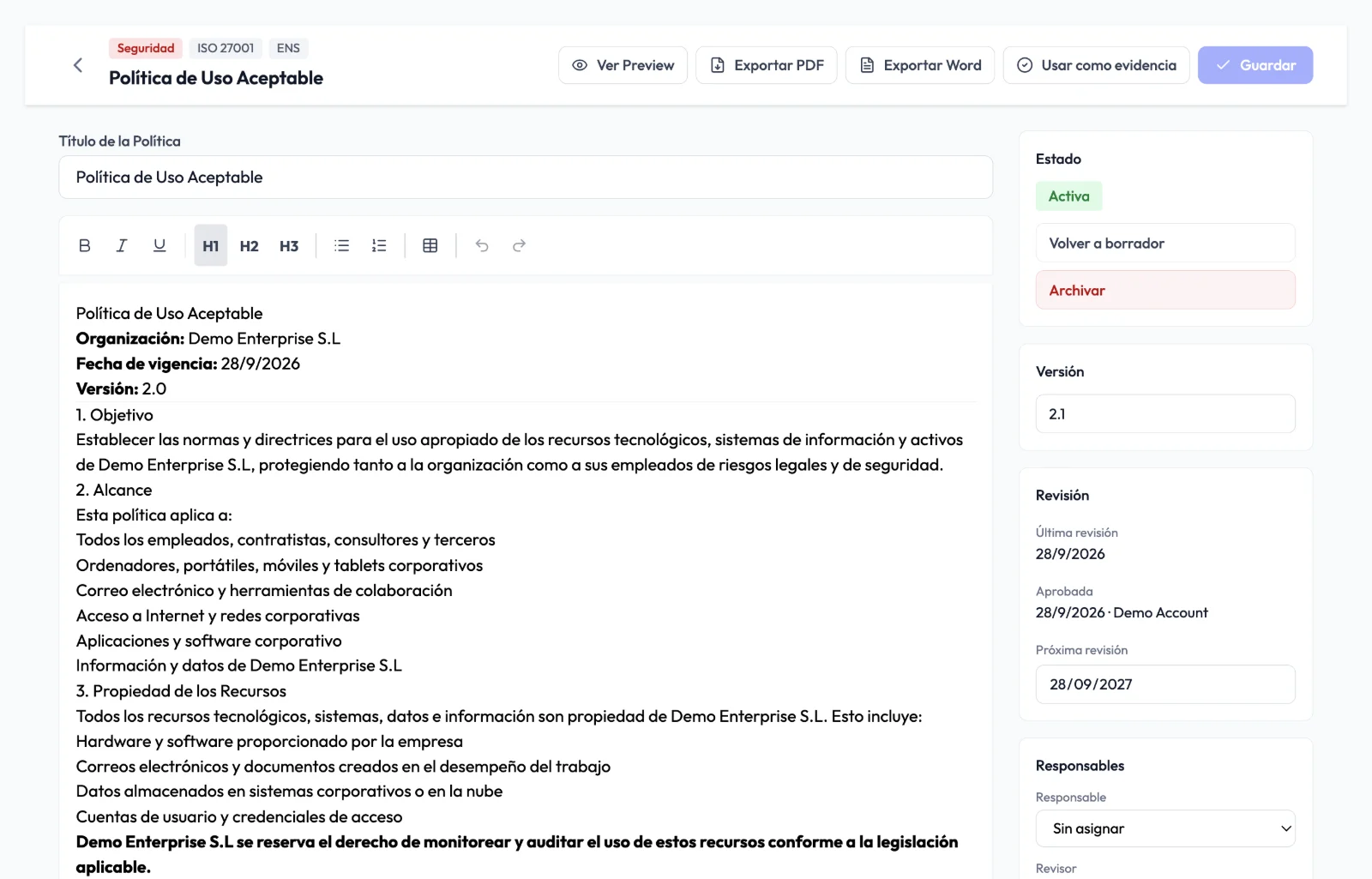
Policies: new editor, versions and team reading
Policies are written, reviewed and approved in one place, with the document in view exactly as it will be output.
- Editing an active policy creates the draft of the next version; the current one stays valid until the new one is approved
- Comments in the text and version comparison showing what was added and removed
- Live variables: your organisation's name, the owner or the version update themselves and are fixed on approval
- Aude suggests improvements to a paragraph and tells you which controls each section covers; your team confirms it has read each version
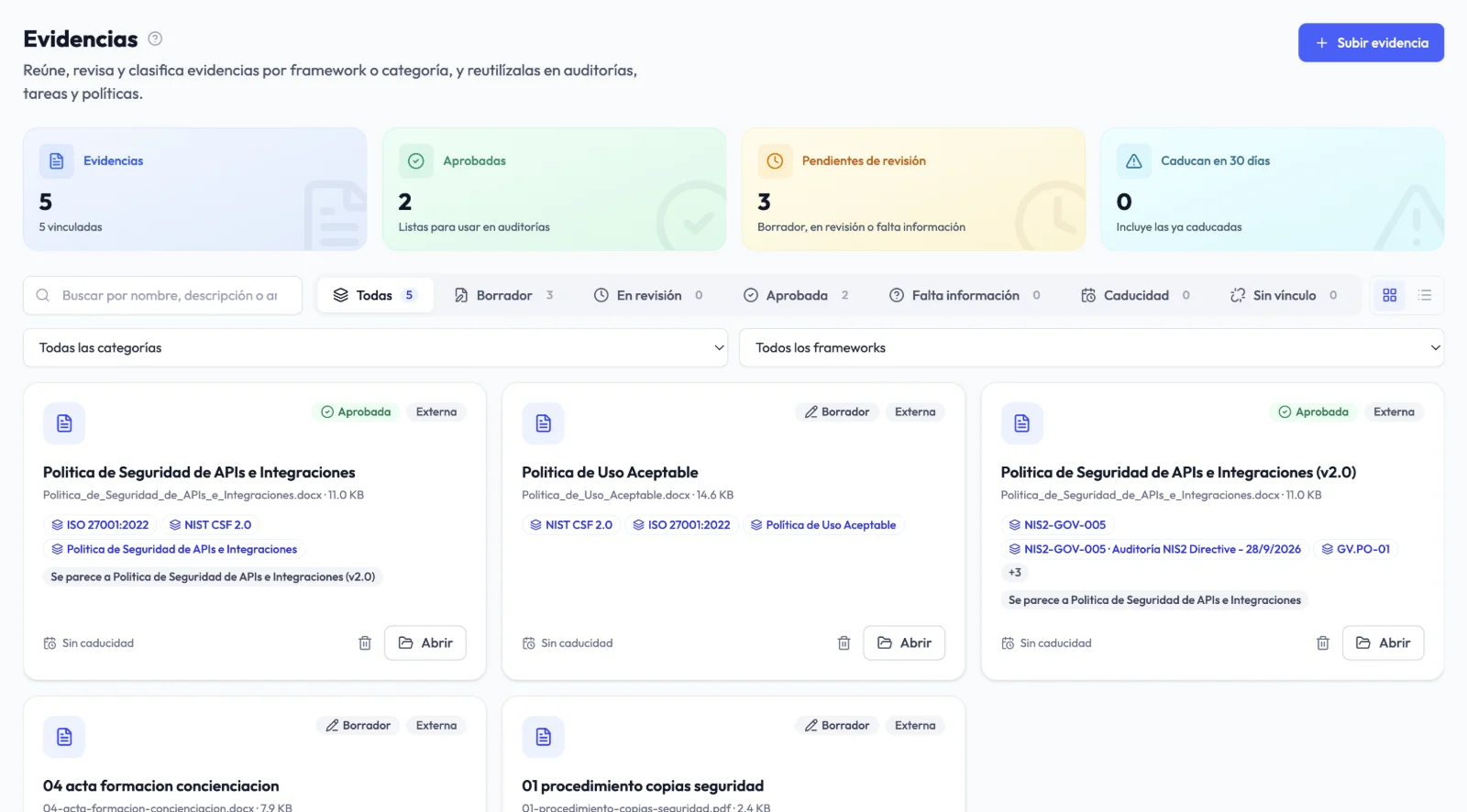
Evidence ready for the auditor
Evidence is now a table that shows which controls each item proves, how long it is valid and who owns it.
- Hand over to the auditor: check what is missing and download a package organised by control with an index and a SHA-256 fingerprint for each file
- Read-only link for the auditor that expires on its own and that you can revoke, with every access visible
- 90-day expiry calendar and alerts 30 and 7 days before, with a task to renew
- Upload several pieces of evidence at once, with the record suggested by Aude
vRadar: remediation deadlines and expiring exceptions
Decide how long a vulnerability can stay open and vRadar alerts you when it goes past that.
- Deadlines by severity, 7, 30, 90 and 180 days by default, and a filter for anything overdue
- The remediation task is due on the same day as its finding
- Exceptions that expire reopen their findings and notify you
- Scheduled scans at your chosen time and alerts for new vulnerabilities, by email if any is critical
Advanced Analytics and your own AI key
Advanced Analytics is an optional module, activated by Audexa on request, with historical trends per framework, PDF, Excel and PowerPoint reports, objectives with projections and alerts. With your own AI key, Aude uses your Anthropic, OpenAI or Mistral account and uses none of your Audexa allowance: included on Diamond and available on request on Premium.
Important changes to permissions
So that each action has a single rule, some permissions change in every organisation. If someone on your team used to do these tasks, give them the Administrator role, a custom role with that permission, or assign them as reviewer.
- Approving or rejecting evidence: Owner, Administrator or the reviewer
- Deleting devices, software, SaaS, suppliers and contracts: Owner and Administrator
- Activating, archiving or returning a policy to draft requires the permission to approve policies
- No viewer can write in any module, not even through the API